Curriculum
Aphasia Duo - Getting Started
Aphasia Duo - Getting Started
0/4

Edit Word Lists
Watch the video above, or follow along with the written instructions below:
Aphasia Duo has been designed in a way that makes it easy to add your own words, phrases and pictures to personalize it to the individual who’s using it.
Many grids include words and photos already, but these can all be personalized.
I’m going to start by going to a topic which it’s really likely people will want to add their own vocabulary to.
0:22– Navigate to “My Health”
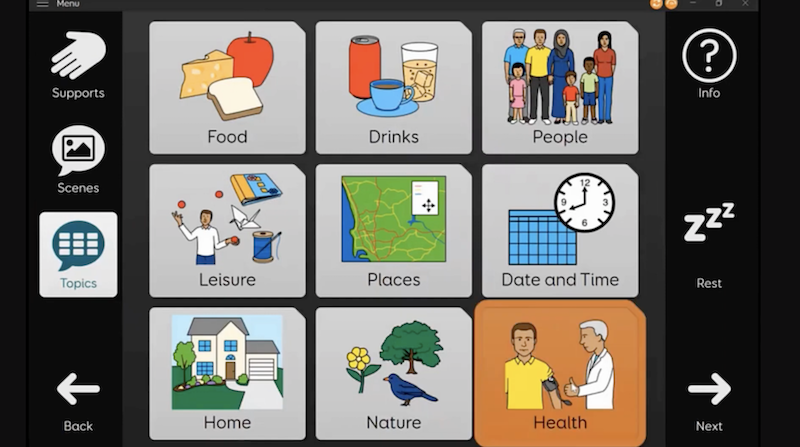
We’ll navigate to “topics” – “health”.
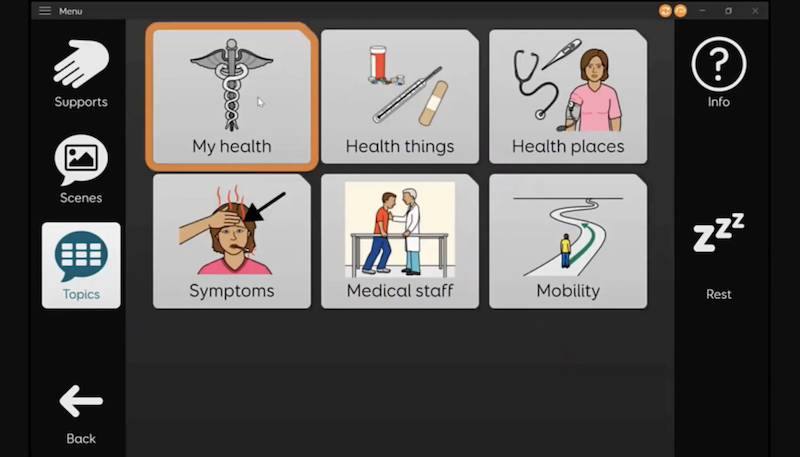
And then “my health”.
Here you can see some example words:
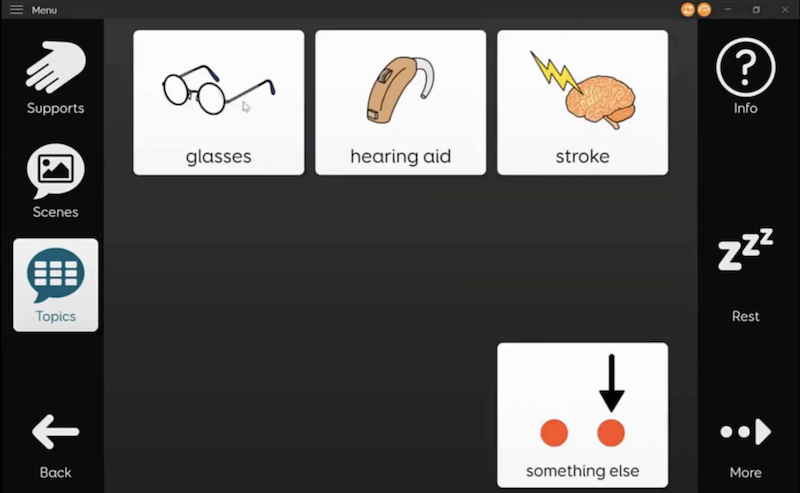
Perhaps the person using aphasia duo has a health condition such as diabetes, and they want to add the word diabetes to this grid.
0:45– Editing Word Lists
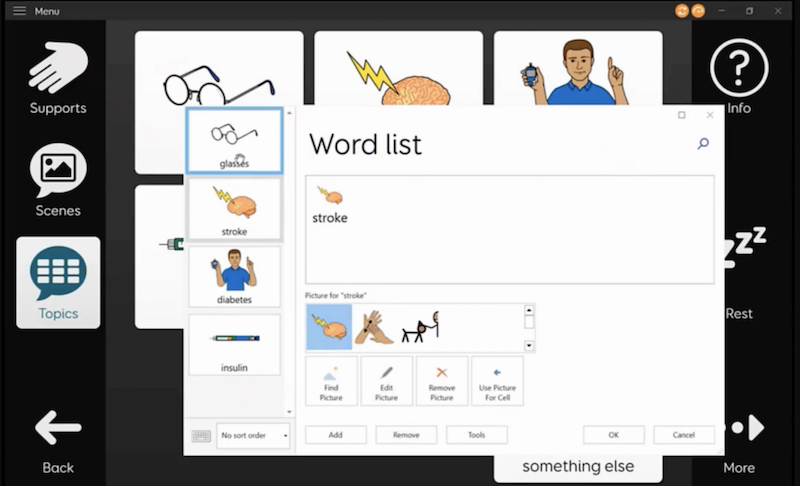
To quickly add this word, select the menu bar.
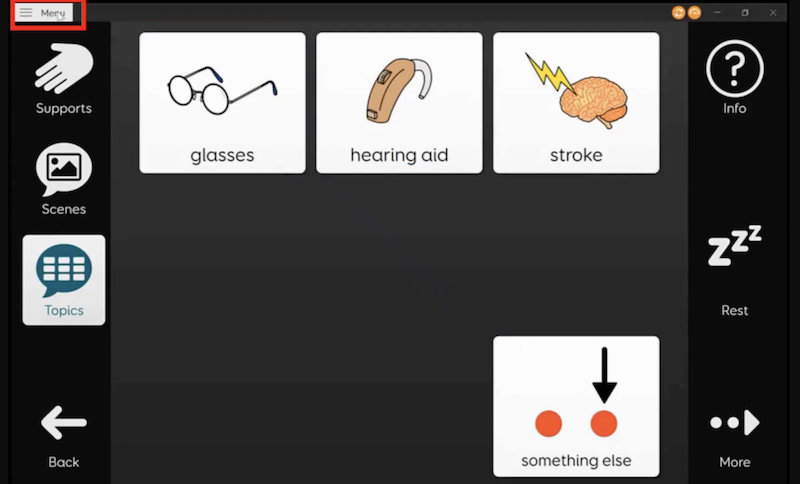
Choose “Edit Word List”.
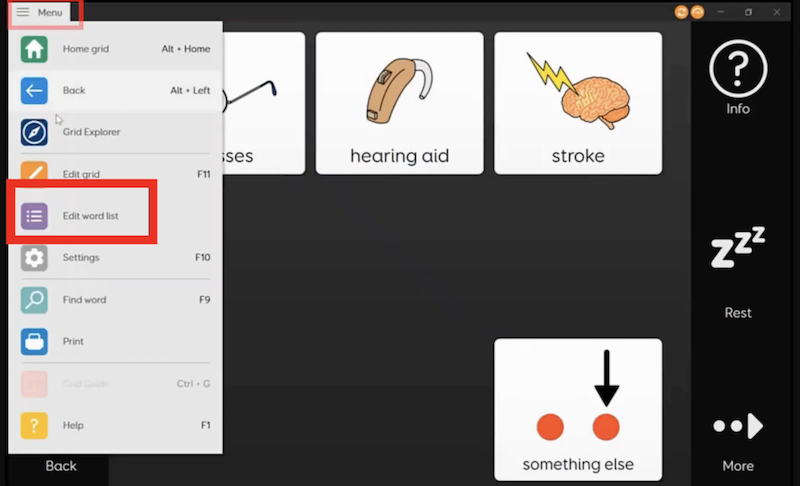
Then select “add”.
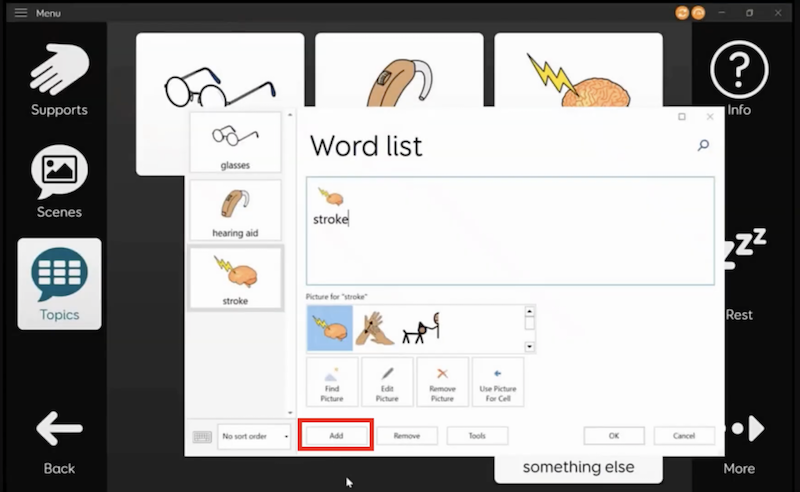
Type your word in the large text area.
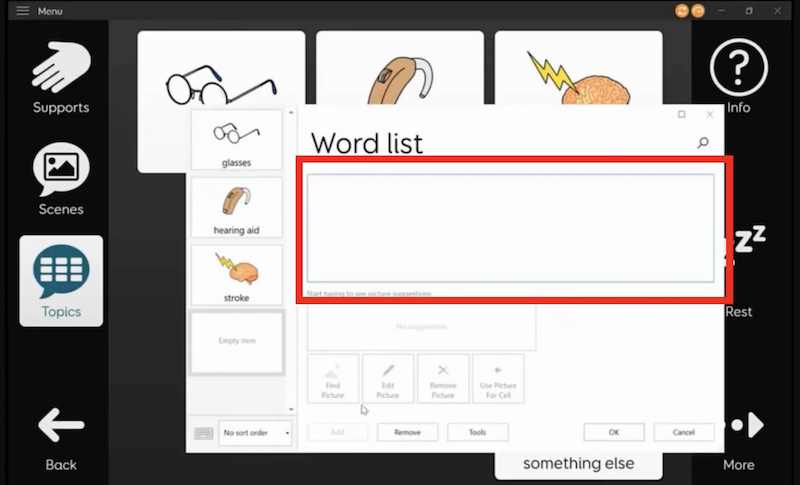
Then choose a symbol.
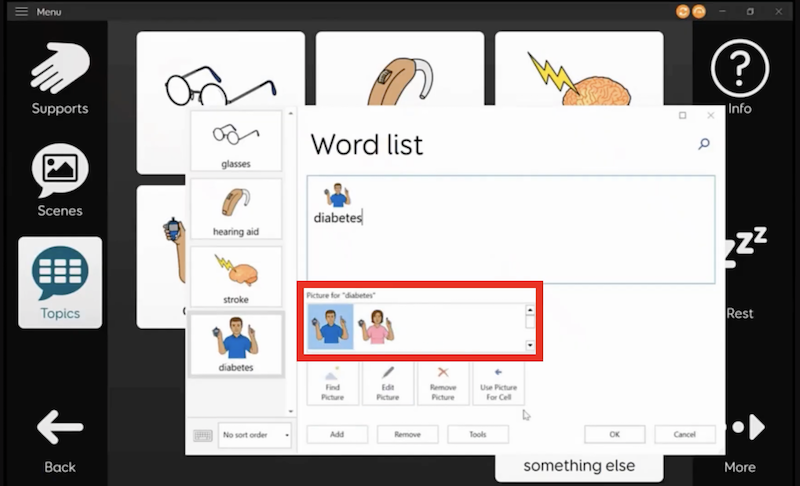
Next, click “okay”.
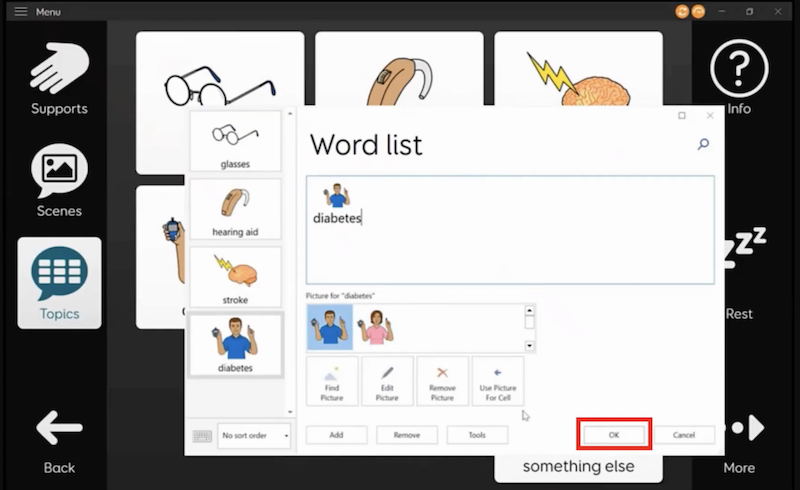
You can see it’s really quick to add a word. Let’s do it again.
0:58– Adding Another Word
Select the menu bar, choose “Edit Word List”.
Select add.
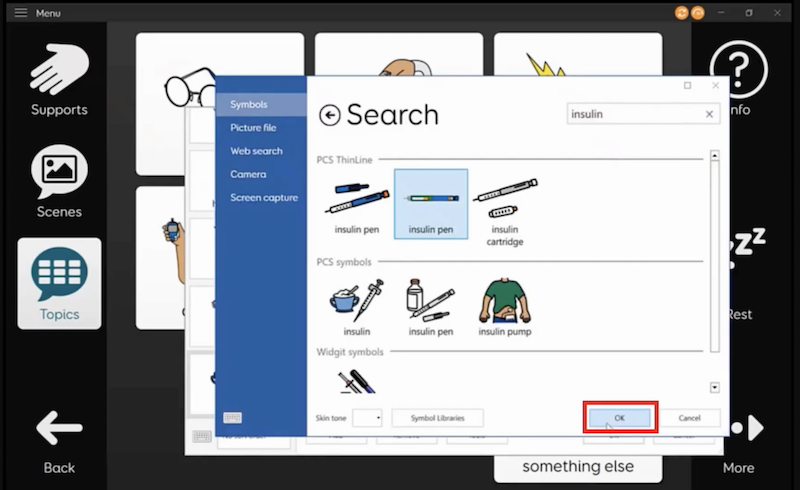
Let’s add the word “insulin”.
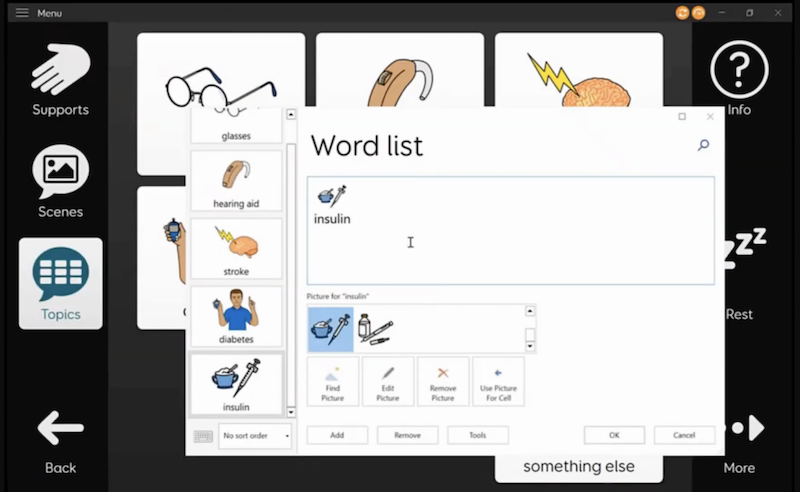
If you don’t like the symbols which you’re offered straight away, you can choose a different symbol by choosing “find picture”.
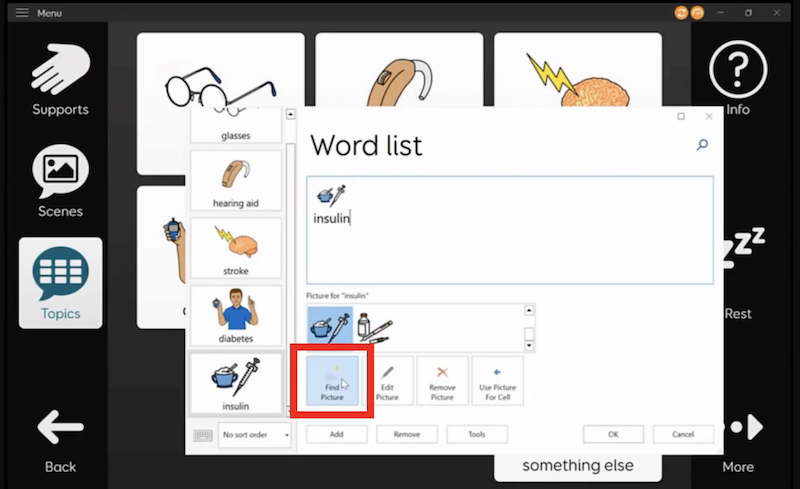
Pick one from the options and press “okay”.
1:36– Removing Irrelevant Words
You can also remove words here if they’re not relevant. I’m going to remove “hearing aid” for this example. Choose the word you want to remove and click on “remove”.
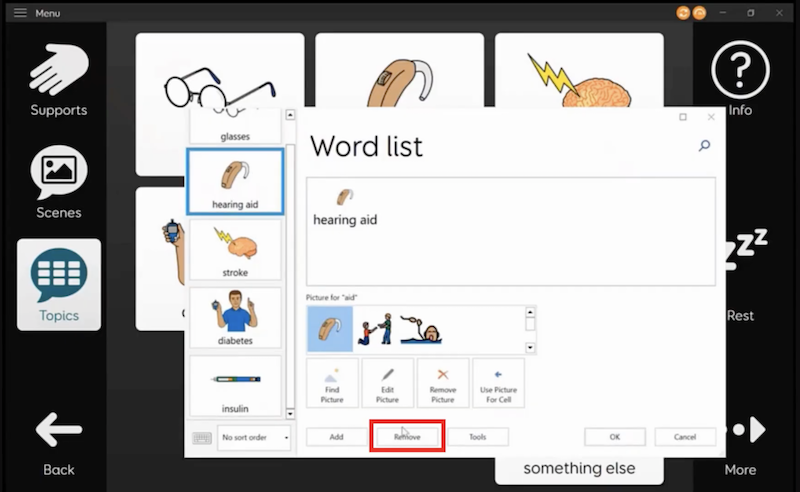
You can also change the order which words appear in by dragging the words. Click and hold the word while dragging it to its new order.
You might want to put words which are more important nearer to the beginning of the word list, so they’re quicker to get to.