Curriculum
TD i13 and i16 - Getting Started
Getting Started with your TD i13 or i16 Device
0/8


Video lesson
Using the Adaptive Buttons
Watch the video above, or follow along with the written instructions below:
0:07– Find the Adaptive Buttons
The Adaptive Buttons are located on the left and right sides below the device’s screen.
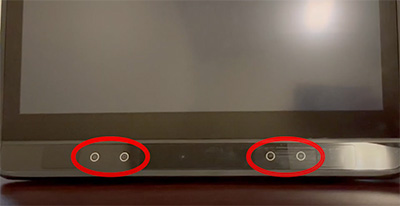
0:11– Activate the Adaptive Buttons
They can be activated with a light touch or using eye tracking. The Adaptive Buttons allow you to perform different actions on your device.
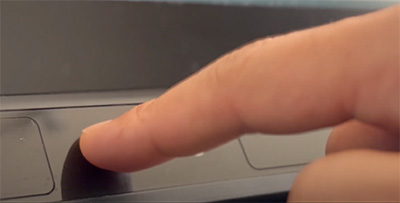
0:15– Preset Functions
All the devices are sent with preset functions:
- 0:22 The Triangle toggles on and off the Track Status so you can monitor whether you are positioned well in front of your device.
- 0:30 The Square allows you to pause or activate the eye gaze camera.
- 0:35 The plus and minus buttons on the right side are used to control the device’s sound volume.
0:39– Glowing Button Feedback
When you look at one of the buttons, you will see the button glows, and the feature will be executed. The Adaptive Buttons don’t glow when activated by touch.
